
Subagents
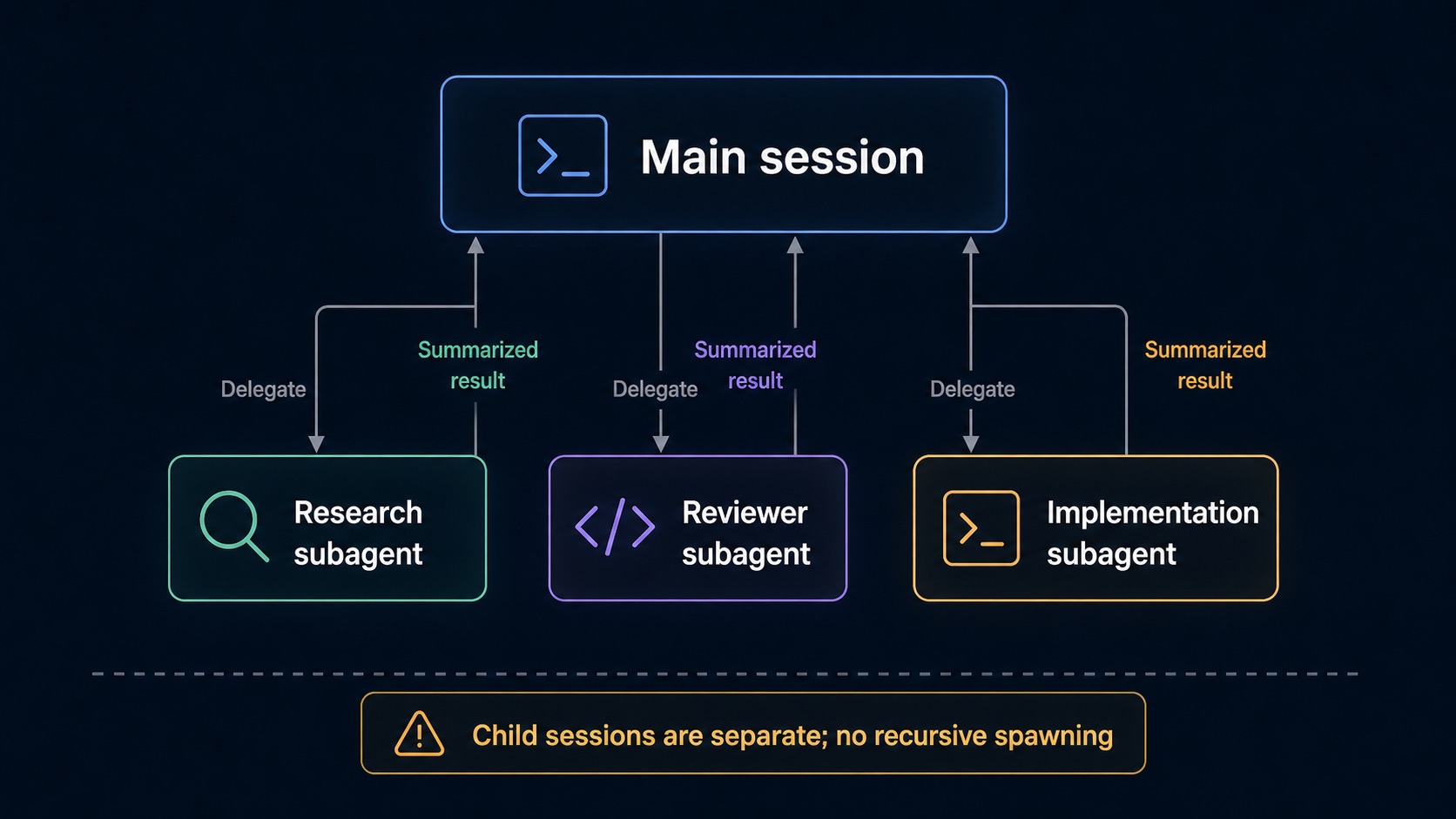
Subagents let the main Sero agent delegate bounded work to specialist child sessions. Use them when one task can be split into independent research, review, testing, or implementation tracks.
Quick path
- Start in a normal workspace chat session.
- Ask for delegation explicitly, for example: “Use the scout subagent to map this folder before editing.”
- Keep each delegated task narrow and file-scoped.
- Watch subagent activity where the work started: a chat subagent call, a Workflow step, a Room member's tile, or a research card. Open the eye on a running step or call to follow that agent's output live.
- Review the final main-agent answer before accepting file changes.
Subagents are helpful for parallel investigation, but they are not a replacement for reviewing diffs, tests, or source-control state.
Built-in and custom agents
Sero can discover named agent definitions from the active profile:
The default profile path is usually:
Built-in templates may be copied there on first launch. Common specialist roles include scout/research, review, test-writing, and analysis. You can add custom Markdown definitions; see Agent Definitions for the exact frontmatter format.
Delegation patterns
Ask for clear boundaries:
Visible results and controls
Subagent runs can emit lifecycle state such as queued, running, completed, failed, aborted, and timed out. Result cards may show the specialist name, task preview, live output, tool activity, duration, model, usage, and final response preview.
Current controls include aborting active subagents and clearing completed entries from the visible activity list. Clearing completed entries does not mean the main session forgot the answer it already received.
Limits and no-recursion rule
Important limits:
- Child sessions do not receive
subagentorcreate_agenttools. - Subagents cannot recursively spawn more subagents.
- Child sessions do not load external extension packages in the current v1 design.
- The
toolsfield in agent definitions is parsed but not enforced in v1; do not use it as a security boundary. - Parallel subagents share the same workspace runtime/container.
- Costs and latency can grow quickly with fan-out.
The default pool allows eight active child sessions in total. One delegation
call can run four children at the same time. Profile settings can change these
limits with maxTotal and maxConcurrent. Extra runs wait for capacity in
first-in, first-out order.
Choose the correct Sero feature
Use subagents for short, delegated tasks within a chat session. Use a Room when persistent members must work as a team. Use a Workflow for a saved sequence of steps. Scheduler starts work at a specified time. Memory supplies selected context across sessions.