
Agent Plugins
Agent Plugins are portable packages defined by agent-plugins.org. They are separate from Sero plugins and do not create Sero apps or sidebar entries.
An Agent Plugin can provide:
- Agent Skills from immediate child directories under
skills/ - stdio, Streamable HTTP, or legacy SSE servers from
mcp.json - optional Sero CLI access, disabled by default
Preview before you install
Open Admin > Plugins > Agent Plugins. Enter an npm source, Git URL, or
absolute local directory, then select Preview. Prefix an npm package with
npm:, for example npm:@scope/package@latest. The package can include an
optional version or tag. Git sources accept HTTPS, SSH, and Git URLs.
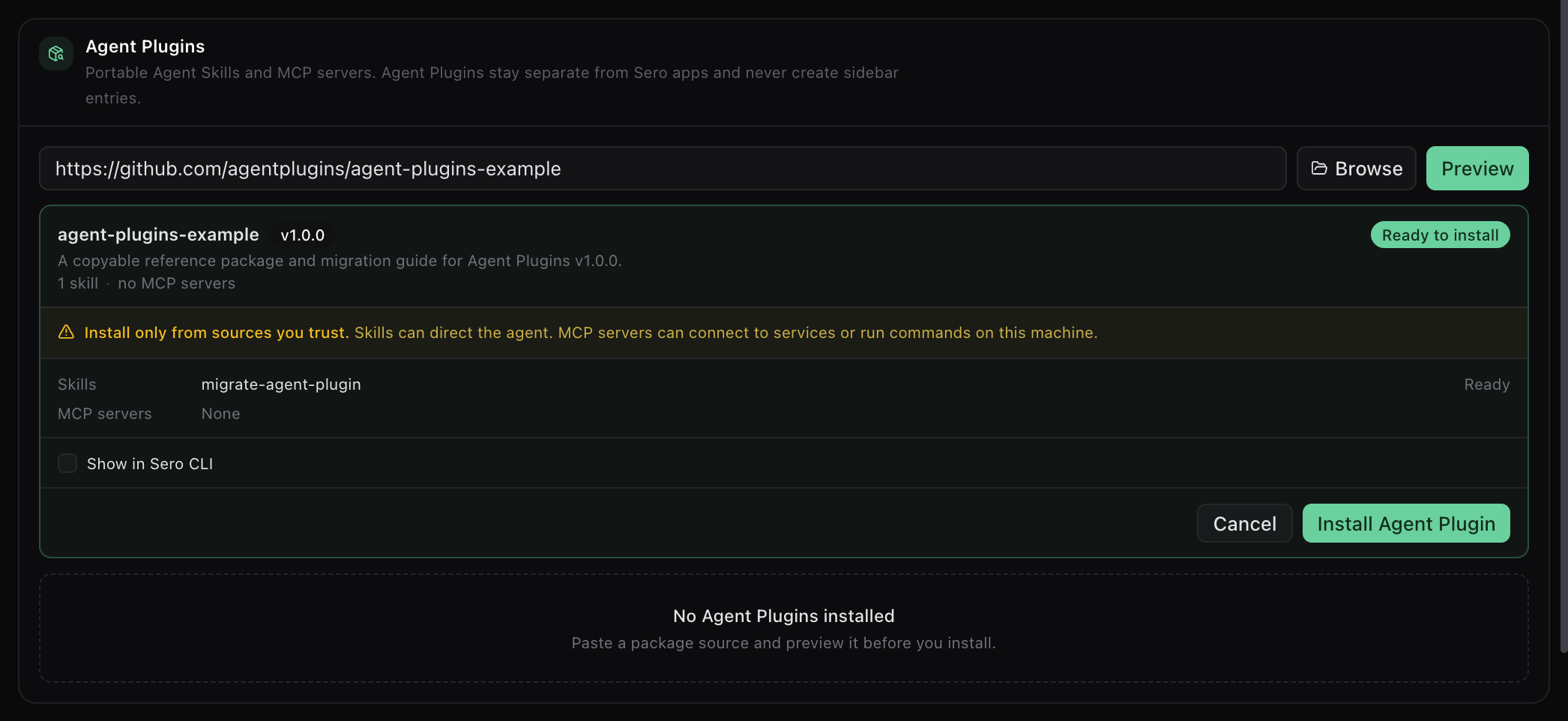
The preview lists each skill and MCP server by name. Beside each MCP server it shows the exact local command or remote URL, and it shows why a component was skipped. Approve only definitions that you trust: no MCP server can start before you approve it. Sero stops the installation if the package content changes after the preview.
Manage an installed plugin
The installed card shows the plugin state, its components, and the actions for the package. Select the arrow to open the details.
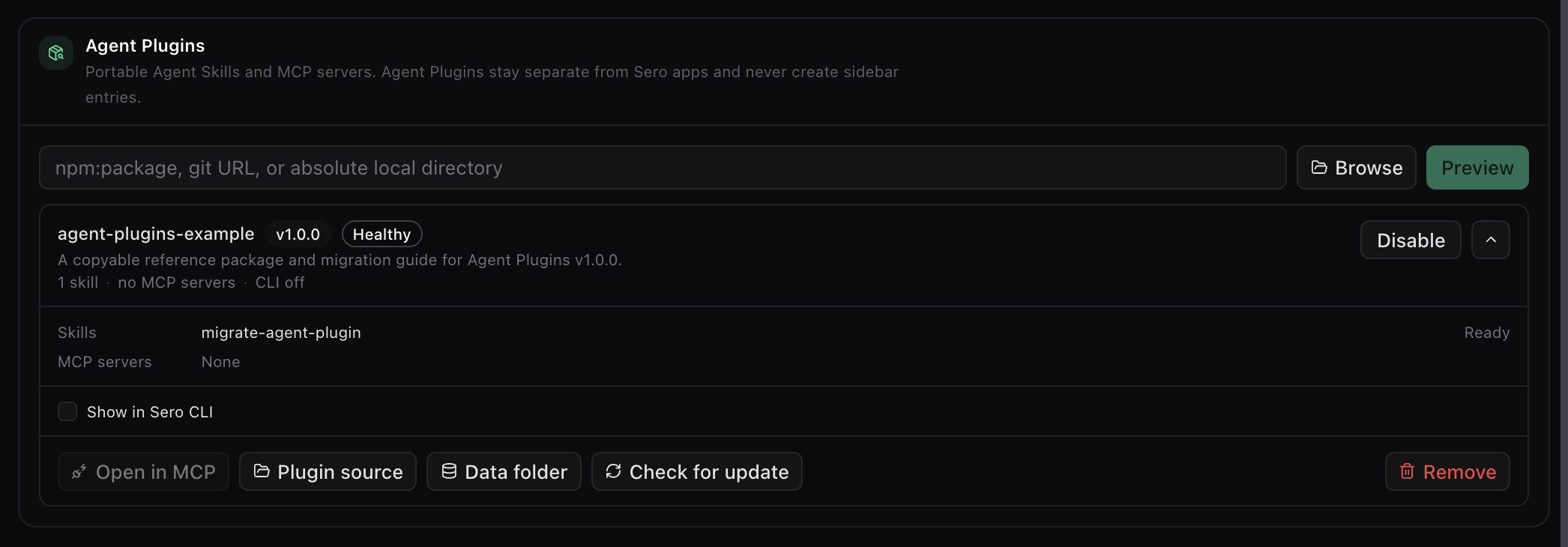
- Open in MCP goes to the servers this plugin owns.
- Plugin source and Data folder open the two directories on disk.
- Check for update compares the source with the installed content and lists the changes. An update that changes an MCP definition needs new approval.
- Disable stops the skills and MCP servers but keeps the package.
The MCP app labels managed servers with their owning Agent Plugin. Managed definitions do not appear in the raw user MCP config. MCP stores its own enable and authentication state against the stable installation and server identity.
Show a plugin in the Sero CLI
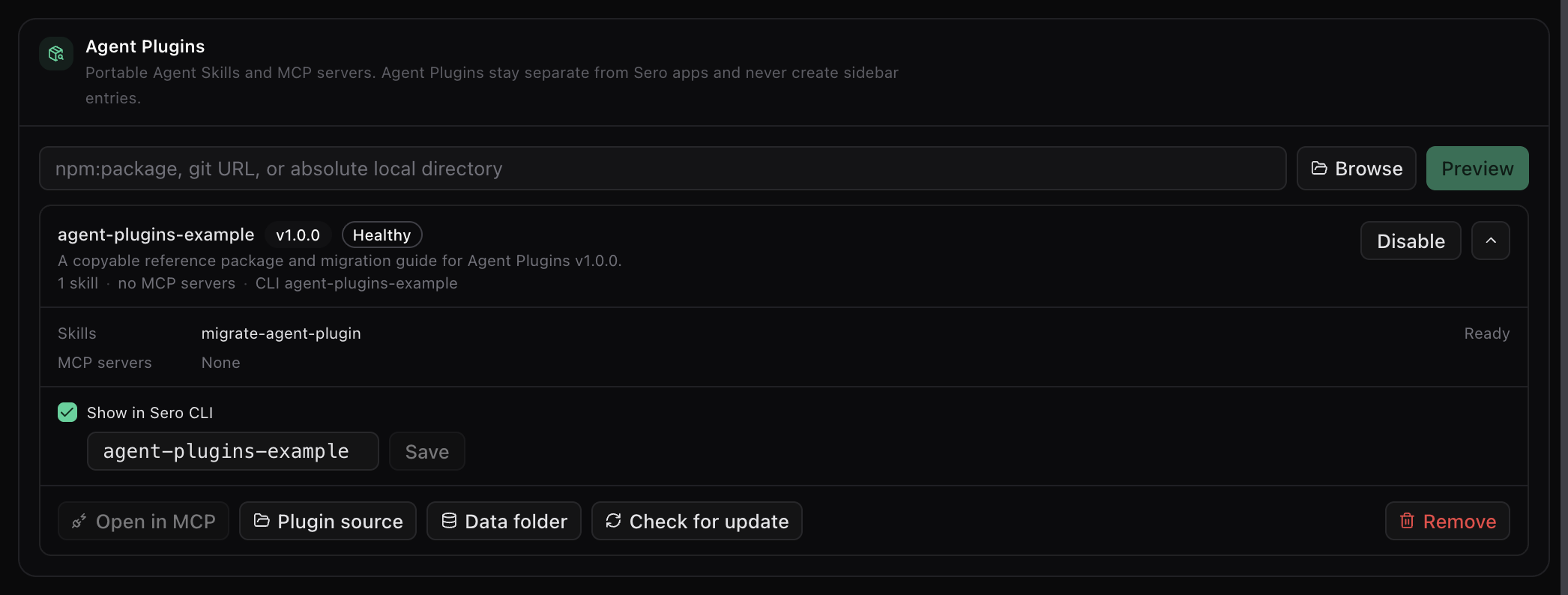
CLI access is off by default. Select Show in Sero CLI to turn it on. Sero takes the namespace from the package name. To use a different one, type it in the field and select Save.
CLI skill commands use <namespace>/<skill-name>. Discovered MCP tools use
<namespace>/<server-name>/<tool-name>. Sero maps safe object schemas to CLI
arguments and uses an explicit JSON object for other schemas. These commands
use the active Sero agent and existing MCP runtime.
Storage and removal
Sero keeps installed package content separate from writable PLUGIN_DATA.
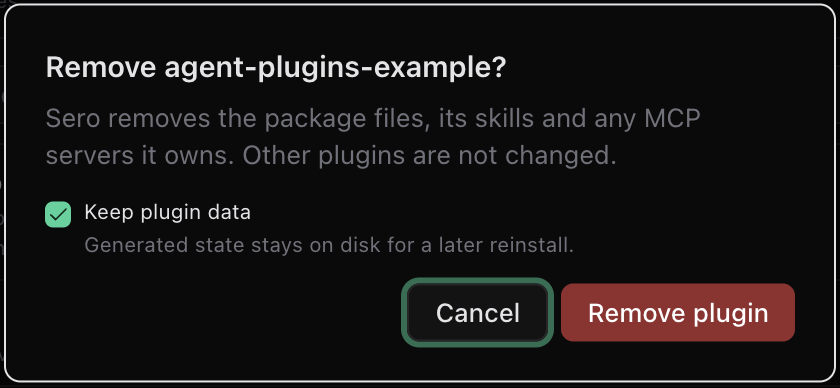
Data survives an update. When you remove a plugin, you choose to keep or delete
that data.
Sero mounts the Agent Plugin package directory read-only in each container. Installs, updates, and removals change content under that mounted directory, so you do not have to restart an existing container for these changes.